Student Portal
All students are encouraged to use the Student Web Dean’s Office, which is now available. The Student Portal is designed to streamline processes directly related to students, their course load, and academic performance:
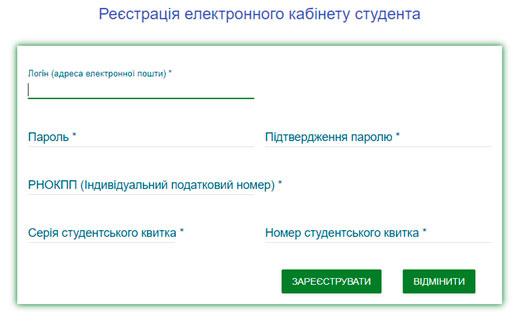
— Student registration/login in the personal account
— Student Registration Form for the Department of Internal Affairs
— a form for viewing a student's academic performance
Click here
https://student.nuos.edu.ua
Once the course selection period begins, you will be able to select courses of interest for the next semester in your online account under the "Course Registration" tab.
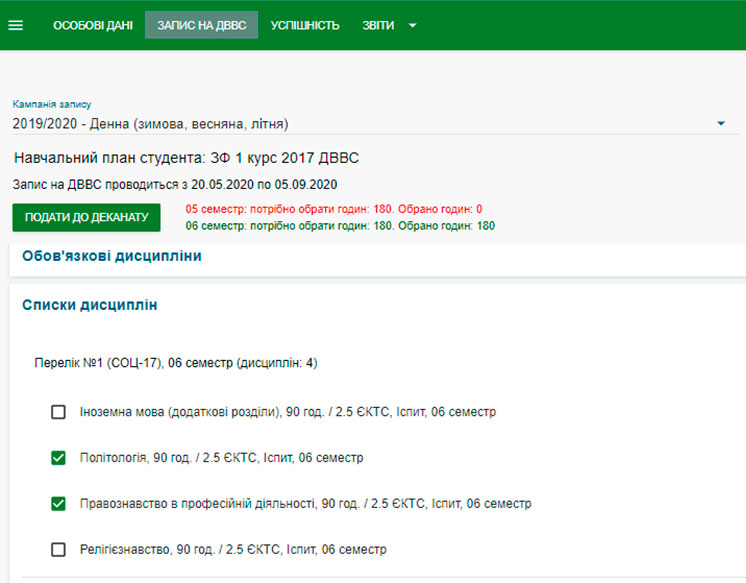
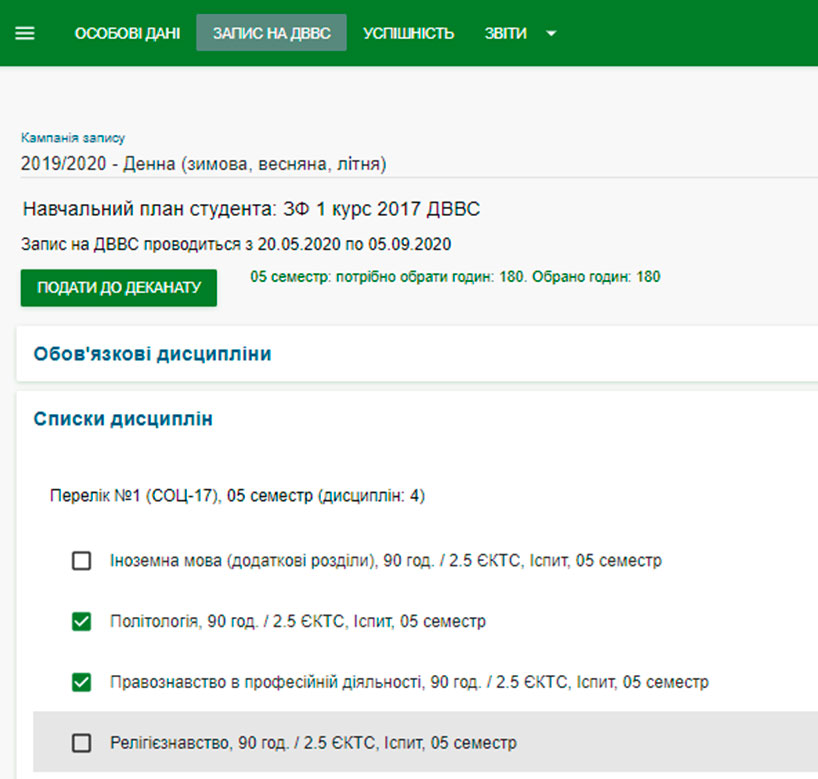
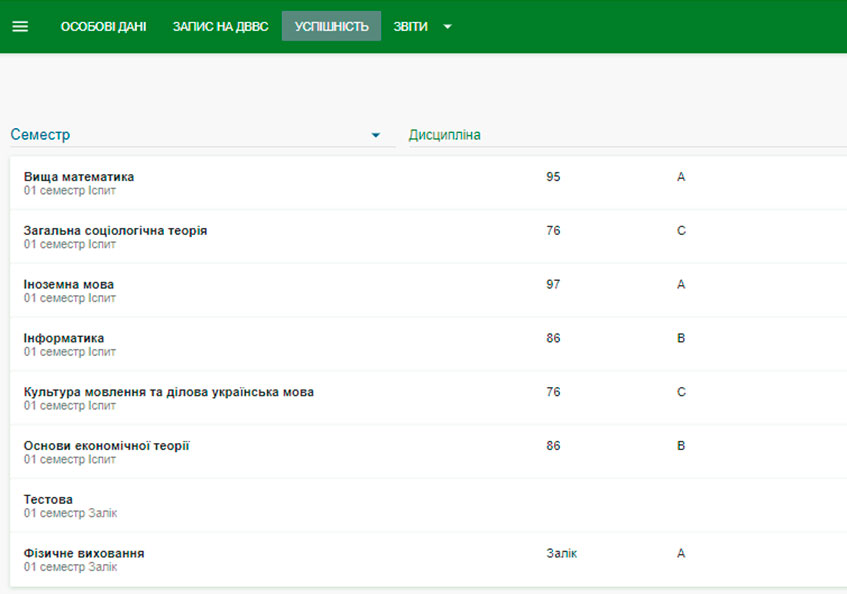
Once the session is over, you will be able to view your grades on the "Grades" tab.
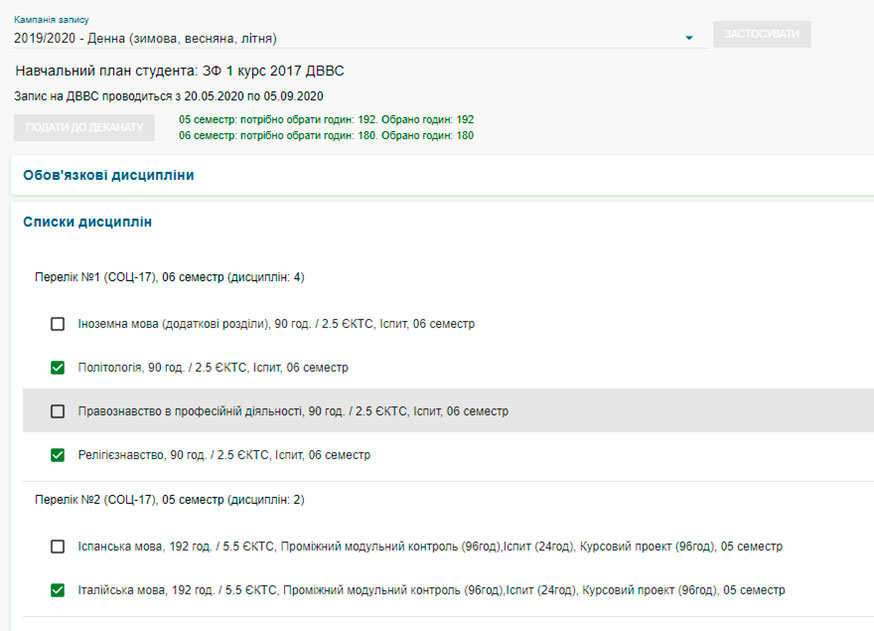
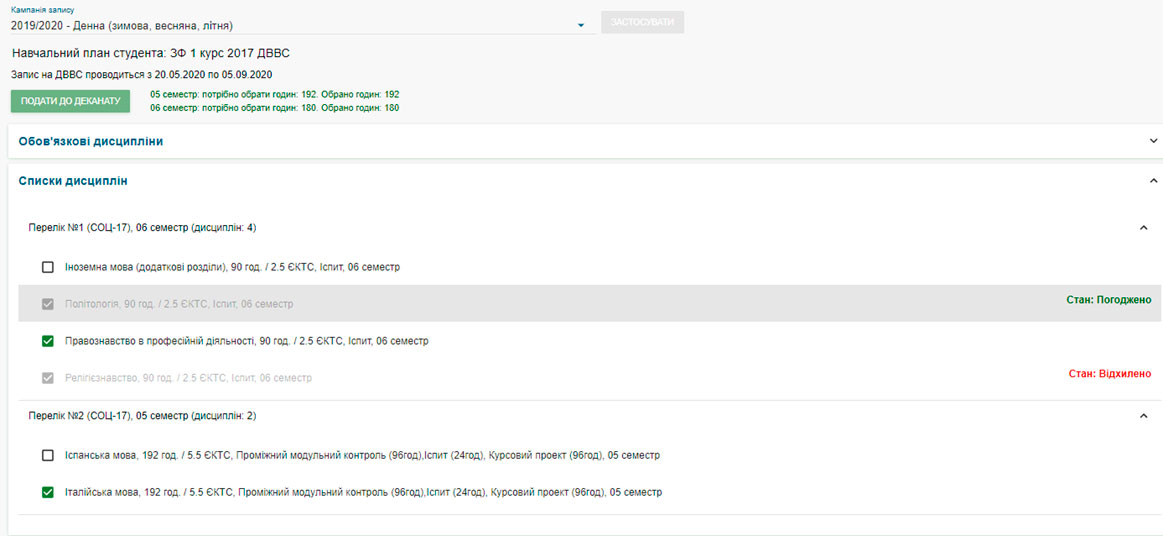
Once the selection process is complete, you will see the final status of your application for each course you selected: “Approved” or “Declined.” If you see “Declined,” it means that the class for this course is full, and you will need to select a different course.
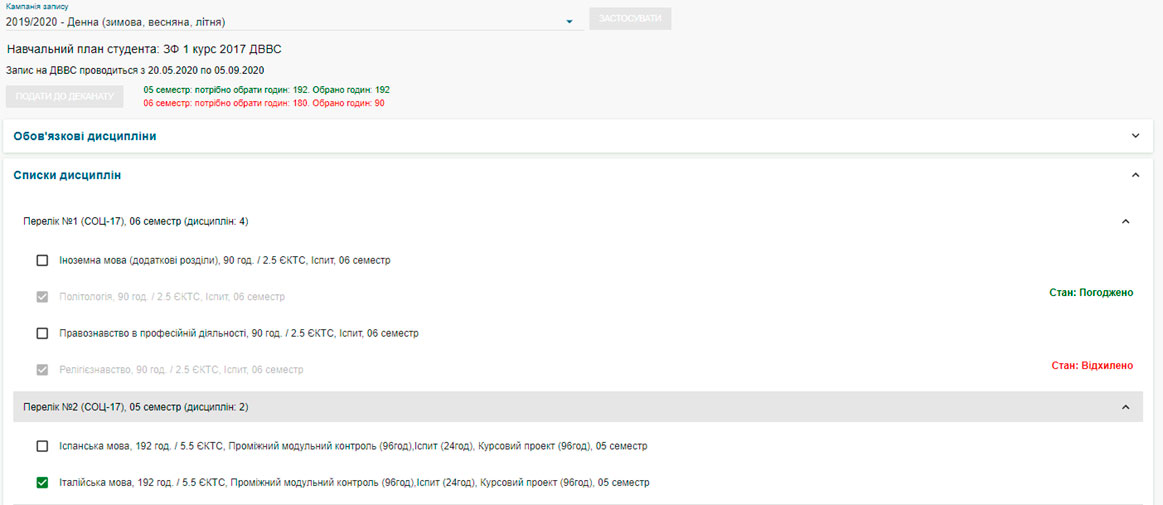
Based on the results of the selection process, the status of each subject you selected will be displayed in your account. If your selection is rejected, please choose another subject from the list of available options.